.png)
Logging in to SNAP
How to Log in to SNAP from accessRedwood
- Go to accessredwood.com.
- Login with your C21Redwood Gmail account by clicking on the blue button.
Note: Be sure to select your Redwood email if you have multiple email accounts saved in your browser.

Once you login, you'll be directed to the home screen. On the left-hand side of your screen, you'll see the menu categories.
-
Go to Select and then click on SNAP icon.
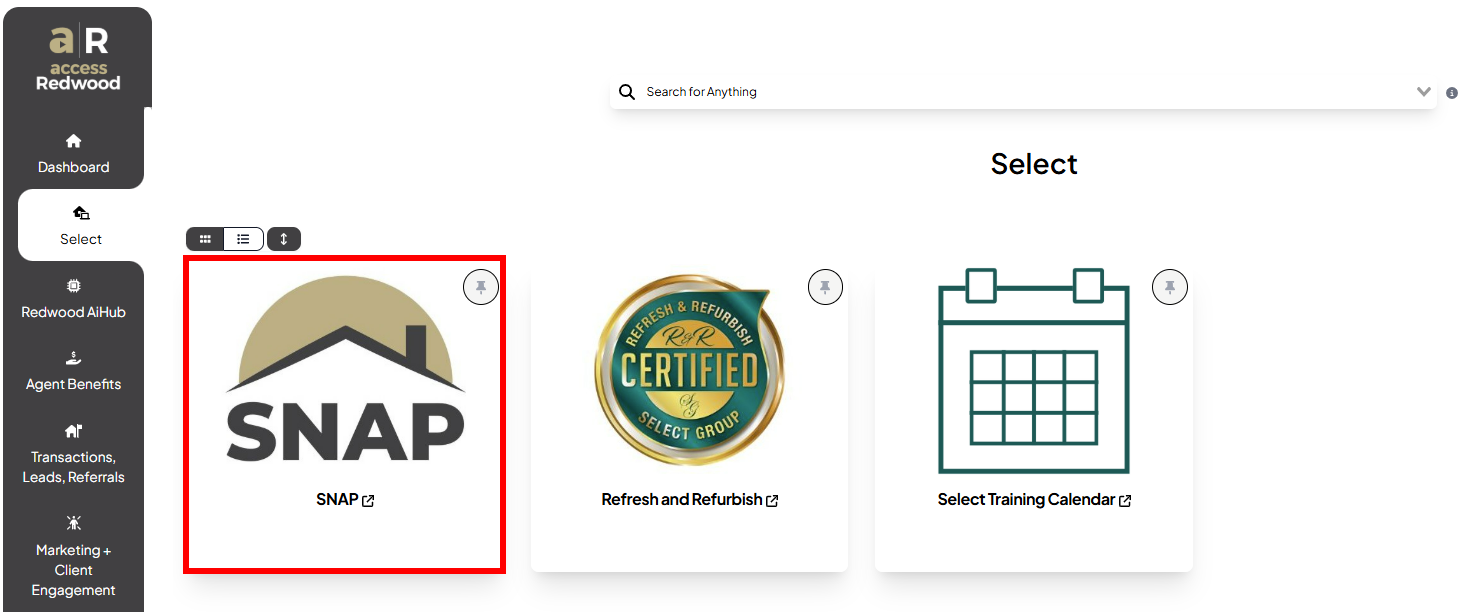
- A new tab will open on your browser. Enter your Redwood email address and password.

- After hitting SUBMIT, you will be asked to enter the Mobile OTP.

How to Log in to SNAP directly
- Go to century21redwood.com.
- Click the three-line menu icon from the top right corner and select Agent Login.

- It will take you to the login page. Enter your Redwood email address and password.
- After hitting SUBMIT, you will be asked to enter the Mobile OTP.
Feel free to reach out to your ASM/EVP for any questions and feedback or if you need to reset your password.